


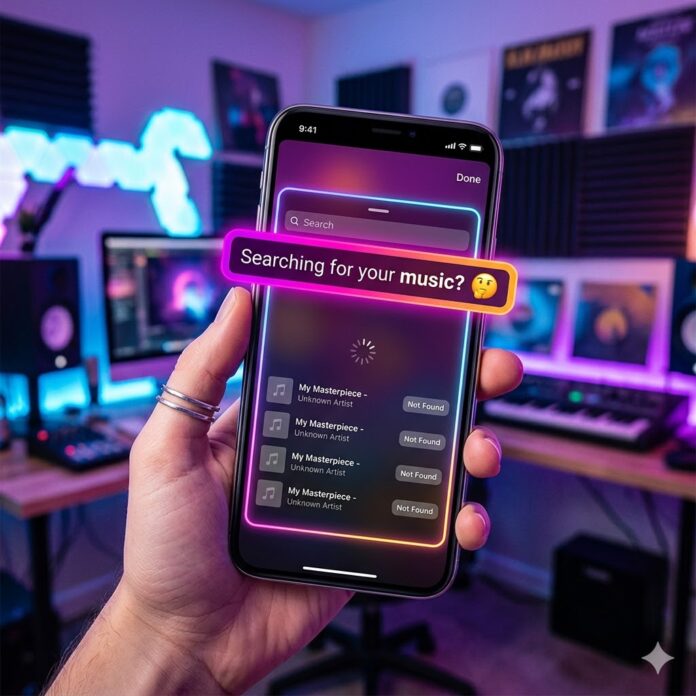
there is nothing more soul-crushing than finally finishing a track, getting it out there, and then realizing you can’t even use it for your own Reel. It’s a common headache, but in 2026, the plumbing behind these apps has gotten pretty picky.
If your music is MIA on Instagram or Facebook, it’s usually down to one of these five “behind-the-scenes” glitches. Here’s how to actually fix it.
1. Did You Actually Check the “Social” Box?
When you’re uploading to your distributor (DistroKid, CD Baby, etc.), it’s easy to focus on Spotify and Apple Music. But Meta (Instagram/Facebook) is technically its own beast.
Most distributors have a specific opt-in for “Social Video Monetization” or a literal checkbox for “Instagram & Facebook.” If you missed that one click during the upload process, your music simply wasn’t sent to their library.
-
The Fix: Head into your distributor’s dashboard, find your release, and look at your “delivered stores.” If Facebook/Instagram isn’t there, you can usually “add more stores” after the fact.
2. The “Album vs. Single” Mess
This is a classic technical trap. If you released a single and then put that same song on an EP or Album later, the system sometimes trips over itself.
Since both versions have the same ISRC (the digital fingerprint for the song), Meta might “hide” the single version to make room for the album version—but if the album isn’t officially out yet, the song just vanishes into a black hole for a few weeks.
-
The Fix: If you’ve got an upcoming album and your old single just disappeared, you’ll likely have to wait for the album release date, or nag your distributor to “redeliver” the metadata.
3. Your Account Type is Blocking You
If you’re searching for your song from a Business Account, you might be seeing a restricted library.
Instagram has strict legal deals with labels. If you’re a “Business,” they assume you’re trying to run an ad, and they won’t let you use licensed music for commercial purposes without a specific (and expensive) license.
-
The Fix: Switch your account type to “Creator” in your settings. You still get the analytics, but you also get the full music library back.
4. The “Wait Time” Is Longer Than You Think
We live in an era of instant gratification, but Meta’s music library is notoriously slow. While Spotify might have your track up in 48 hours, Instagram can take 2 to 4 weeks to fully index a song and its “fingerprint.”
-
The Fix: If it’s been less than 14 days, honestly? Take a breath. It’s likely just stuck in the digital mailroom.
5. Metadata Red Flags
Meta’s AI (ironically) filters out content that looks like “noise” rather than “songs.” If your track is:
-
A “Type Beat” with a non-exclusive license.
-
Heavy on “Public Domain” samples (like a lo-fi remix of a 1920s jazz record).
-
Purely ambient/white noise.
…they might just reject it from the library to avoid copyright strikes.
The “Is It Just Me?” Checklist
| If you see… | It’s probably… | Do this: |
| Nothing at all | Distribution Opt-in | Check your “Sent to Stores” list. |
| Only “Generic” Stock Music | Business Profile | Switch to a “Creator” account. |
| Song is there, but no lyrics | Musixmatch | Link your artist profile on Musixmatch. |
Still stuck?
If it’s been a month and your music is still a ghost, it’s time to annoy your distributor. Send them a ticket specifically asking for a “Manual Redelivery to Meta.”

















 🔥 Limited Time: Get 55% OFF All Plans - Ends in: