


Forget the polished studio shots and the $200-an-hour photographers for a second. If you’re an independent artist, your best creative tool is probably already in your pocket. You don’t need a massive budget to create a visual identity that actually matches your sound; you just need a decent eye and a few hacks.
Here are five DIY photoshoot ideas you can pull off this weekend with just your iPhone.
1. The “Golden Hour” Rooftop or Alley
There’s a reason cinematographers obsess over the hour before sunset. The light is soft, amber, and does half the editing work for you.
-
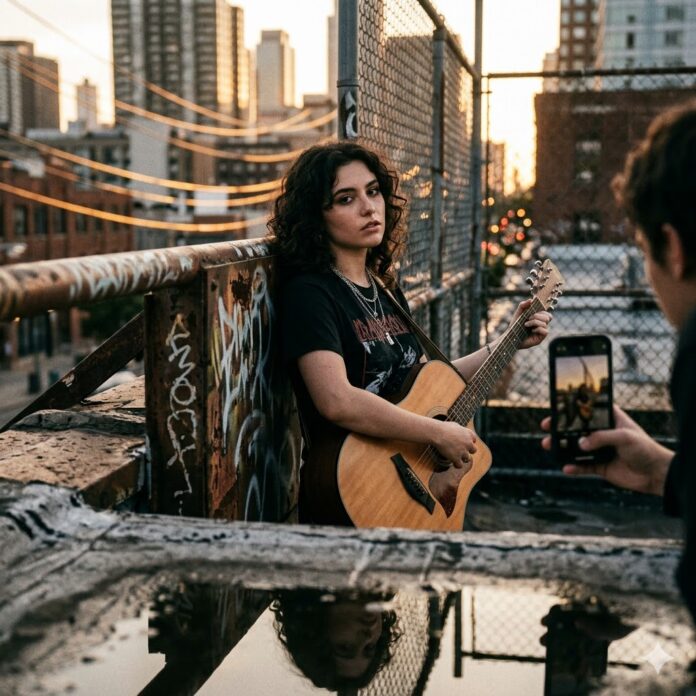
The Vibe: Find a spot with some grit—a parking garage roof, a brick alleyway, or even a local park.
-
The Hack: Switch your iPhone to Portrait Mode. It creates that natural background blur (bokeh) that makes a DIY shot look like a high-end press photo. If the sun is hitting you too hard, tap your face on the screen and slide the little yellow sun icon down to lower the exposure. It adds an instant “mood.”
2. The DIY Projector Session
This is perfect for that abstract, indie-rock or electronic aesthetic.
-
The Vibe: Grab a cheap home projector (or borrow one) and aim it at a plain white wall. Project old movie stills, distorted textures, or even your own lyrics across your face.
-
The Hack: Turn off every other light in the room. This makes the colors from the projector pop. Since it’ll be dark, keep your phone steady—or better yet, prop it up on a stack of books—to avoid any unwanted graininess.
3. The “Main Character” Car Shoot
Cars are basically tiny, portable movie sets. They offer a tight, intimate frame that feels very personal to the listener.
-
The Vibe: Lean into a late-night aesthetic. Use the dashboard lights or the neon glow from a gas station as your primary light source.
-
The Hack: Use the Ultra-Wide (.5x) lens. It distorts the edges of the frame slightly, giving the photo a stylized, “fish-eye” energy that’s huge in music photography right now.
4. “Found Space” Authenticity
Sometimes the most “rock and roll” locations are the most mundane. Think laundromats, 24-hour diners, or a local record shop.
-
The Vibe: You’re looking for high contrast and “real world” textures.
-
The Hack: Don’t overthink the posing. Candid shots usually look better here. If the lighting is harsh, try shooting in the “Dramatic Cool” filter in your camera settings. It cuts out the yellow “cheap” light and makes the scene feel cinematic and raw.
5. Motion Blur & Live Performance
Static photos can sometimes feel a bit stiff. If your music is high-energy, your photos should be too.
-
The Vibe: You, with your instrument or just moving around, capturing the “ghost” of a performance.
-
The Hack: Make sure Live Photo is turned on. Take a shot while you’re moving, then open the photo in your gallery. Tap the “Live” icon in the top left and select Long Exposure. It’ll blend the frames together into a beautiful, intentional motion blur.
Three “Don’t Forget” Rules:
-
Wipe the lens. Seriously. A quick rub on your shirt removes the pocket smudge that makes your photos look blurry and amateur.
-
Move your feet, don’t zoom. Digital zoom kills your image quality. If you want a close-up, get closer.
-
The “Thirds” Rule. Go to Settings > Camera > Grid and turn it on. Keep your eyes or your instrument along those lines to make the composition look intentional.
















 🔥 Limited Time: Get 55% OFF All Plans - Ends in: