


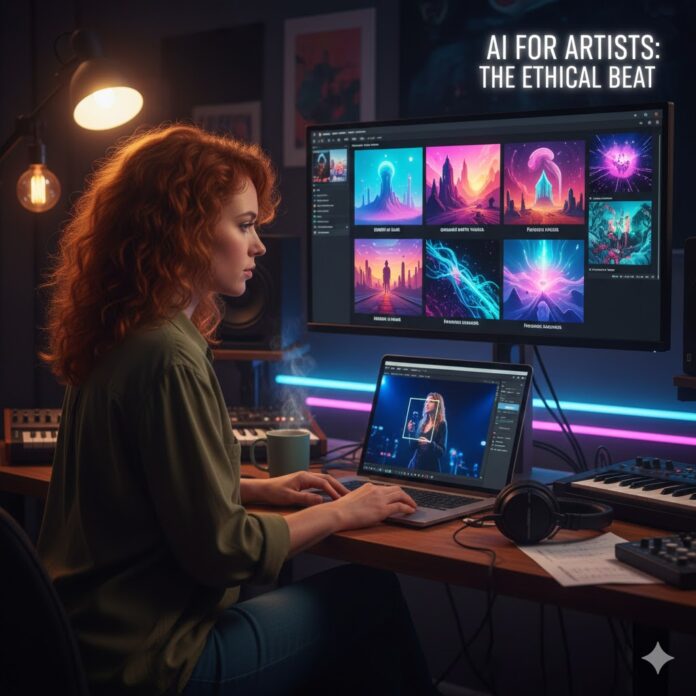
The Ethical Beat: Why AI Shouldn’t Be Your Artist, But It Could Be Your Best Assistant
The “A-word” is everywhere in music right now, and let’s be real—it’s polarizing. On one side, you have the tech-optimists dreaming of infinite content; on the other, artists (rightfully) worried about their craft being devalued by a machine.
But here’s the thing: AI doesn’t have to be an all-or-nothing game. You don’t have to choose between being a “Luddite” and being a “prompt engineer.” There is a middle ground—a way to use these tools to sharpen your brand and speed up your workflow without losing the human soul that makes people care about your music in the first place.
Addressing the Elephant in the Room: The “Soul” Factor
The biggest fear with AI is that it feels like “cheating.” If a computer generates your album cover, is it still your art?
The answer lies in intent. If you’re just hitting “generate” because you’re lazy, your fans will feel that lack of effort. But if you use AI as a bridge between the sounds in your head and the visuals on the screen, it becomes a powerful collaborator.
The goal isn’t to replace the human artist; it’s to give the human artist more room to breathe.
1. Midjourney as Your Digital “Director”
Think about the last time you tried to explain a visual concept to a photographer or designer. You probably used words like “cinematic,” “gritty,” or “ethereal.” Those words are subjective and often lead to three rounds of revisions you don’t have time for.
The Ethical Move: Use Midjourney to build the ultimate mood board. Instead of sending a vague text, you can generate 10 variations of a “neon-soaked rainy street in 1990s Tokyo” to show your team exactly what the vibe of the single is.
-
The Human Edge: You aren’t using the AI image as the final cover. You’re using it to communicate your vision more clearly to a human creator who will then add their unique touch.
2. Adobe Firefly for the “Heavy Lifting”
We’ve all been there: you have a killer live photo, but there’s a stray water bottle on the stage or the lighting is just a bit off. Normally, that’s an hour of tedious cloning in Photoshop.
The Ethical Move: Use Adobe Firefly’s Generative Fill to handle the boring stuff. Need to extend a vertical photo into a horizontal YouTube banner? Or remove a distracting exit sign from your press shot? Firefly can do that in seconds.
-
The Human Edge: You’re using technology to “clean up” reality, not manufacture it. It keeps the focus on you and your performance, removing the technical hurdles that get in the way of sharing your story.
The “Artist-First” Checklist
If you’re worried about crossing an ethical line, ask yourself these three things before you hit “export”:
-
Is this a shortcut or a tool? (Use it to save time, not to avoid the creative work).
-
Am I being transparent? (If a fan asks how you made a cool visual, tell them. Authenticity is currency).
-
Is the music still the star? (AI visuals should serve the song, not distract from it).
Moving Forward Without Fear
Being “forward-thinking” doesn’t mean you have to love every new piece of tech. It just means you aren’t afraid to see how it can help you. By using AI for the “grunt work”—the mood boards, the quick edits, the social snippets—you actually get more time to sit at your instrument and do the one thing a machine can’t: feel.
















 🔥 Limited Time: Get 55% OFF All Plans - Ends in: