


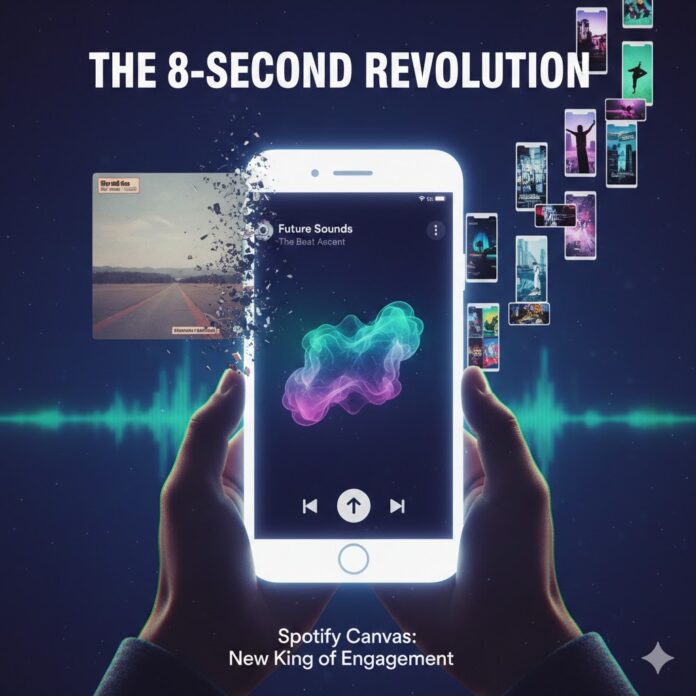
In the streaming era of 2026, the “first impression” has migrated from the record store shelf to the palm of a hand. While the traditional album cover was once the definitive visual ambassador for a record, Spotify’s data-driven evolution has crowned a new king of engagement: the 8-second Canvas loop.
For independent artists and major labels alike, the 8-second loop is no longer just a “nice-to-have” feature; it is the primary engine for social sharing, algorithmic discovery, and listener retention.
Why the 8-Second Loop Beats the Static Cover
The shift from static to motion isn’t just an aesthetic preference—it’s backed by staggering performance metrics. According to Spotify’s internal tracking, tracks with a high-quality Canvas see:
-
145% Increase in Shares: Listeners are significantly more likely to share a track to Instagram Stories when it features a high-def, looping visual rather than a static square.
-
20% Increase in Playlist Adds: Motion creates a “stickiness” that encourages listeners to save the track to their personal libraries.
-
9% Increase in Artist Profile Visits: A compelling loop acts as a gateway, piquing curiosity and driving traffic to your full discography.
1. The “Instagram Story” Effect
In 2026, music discovery happens on social media. When a fan shares your song to their Stories, a static album cover looks like a relic of the past. A Spotify Canvas, however, fills the entire vertical screen with an immersive experience. This transforms a simple “share” into a mini music video, capturing the attention of potential new fans who scroll with the sound off.
2. Gamifying the Algorithm
Spotify’s algorithm prioritizes retention and engagement. When a listener spends those extra few seconds watching your loop instead of skipping to the next track, it signals to the algorithm that your content is “high value.” This increases your chances of landing on lucrative editorial playlists like New Music Friday or Pollinate.
3 Pillars of a High-Converting Canvas Strategy
To treat your Canvas as more than just an afterthought, follow these 2026 best practices:
A. The “No-Singing” Rule
Avoid footage of you rapping or singing the lyrics. Because the loop is only 3–8 seconds long, it will almost never sync perfectly with the audio. This creates a jarring “uncanny valley” effect. Instead, focus on abstract visuals, atmospheric shots, or lifestyle footage that captures the vibe of the song.
B. Choose Your Loop Type Wisely
Not all loops are created equal. Use the right “edit” to match your track’s energy:
-
The Continuous Loop: Perfect for lo-fi or ambient tracks. It has no clear beginning or end, creating a seamless, infinite flow.
-
The Hard Cut: Best for high-energy trap or EDM. Use sharp, rhythmic cuts that reset at the end of the 8 seconds.
-
The Rebound: The “Boomerang” of Spotify. It plays forward and then reverses, which is great for capturing specific movements (like a dancer or a falling object).
C. Optimize for the “Safe Area”
Remember that Spotify overlays playback controls (play/pause, track title) over your video.
Pro Tip: Keep your most important visual elements in the center 60% of the frame to ensure they aren’t obscured by the UI or cropped on different smartphone aspect ratios.
The Death of the “Square” Mentality
We are officially in the era of Vertical-First Branding. While you still need a high-quality album cover for search results and credits, the Canvas is your actual “storefront.”
If you are spending $500 on a professional photographer for your cover but $0 on your motion assets, you are misallocating your budget. In 2026, your visual identity is defined by how you move, not how you pose.


















 🔥 Limited Time: Get 55% OFF All Plans - Ends in: