
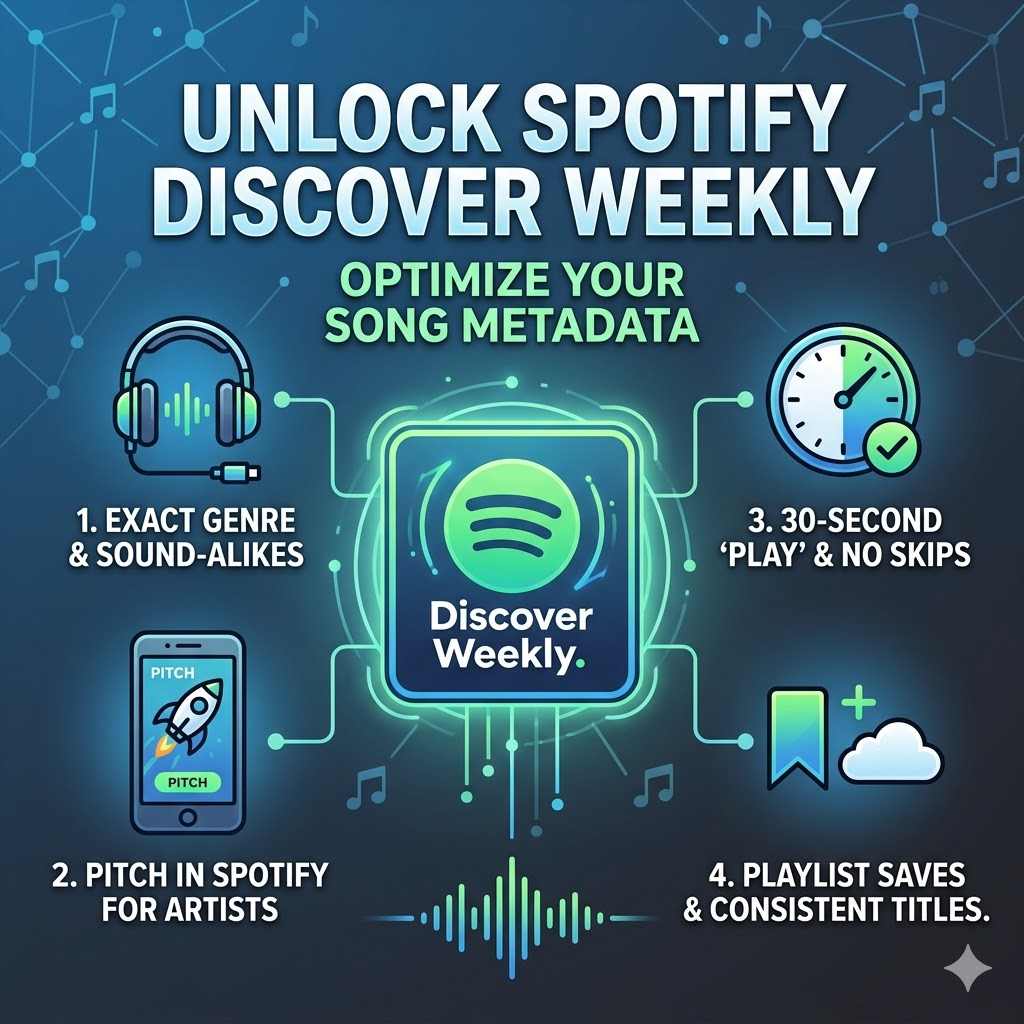
Forget the “hacks” and “glitches” people talk about on TikTok. If you want your music to trigger Spotify’s Discover Weekly algorithm, you have to understand one thing: Spotify isn’t just a streaming app; it’s a massive data engine. It doesn’t “listen” to your music—it reads it.
If your song’s metadata is messy, the algorithm gets confused. And when the algorithm is confused, it plays it safe by showing your music to… well, nobody.
Here is how to actually optimize your song data so the AI knows exactly who your audience is.
What is Metadata (and Why Does it Actually Matter)?
Think of metadata as your song’s digital ID card. It’s the behind-the-scenes info that tells Spotify exactly where your track fits in the musical universe. When this info is spot-on, Spotify’s Natural Language Processing can accurately pair your song with people who are already listening to similar artists.
1. Stop Being “Creative” With Genres
When you’re uploading through DistroKid or TuneCore, you’ll be asked for your primary and secondary genres.
-
Be Honest: If you made a Lo-fi Hip Hop beat, don’t label it “Experimental” just to seem deep. If the system can’t categorize you, it won’t recommend you.
-
The “Fans Also Like” Test: Look at three artists you sound like. What are they labeled as? Use those exact genres. Consistency is how you “train” the algorithm to see you as part of that scene.
2. The Secret Sauce: The Spotify for Artists Pitch
The most important optimization happens after you upload but before you release. Pitching your song through the Spotify for Artists dashboard is non-negotiable.
This is where you give the algorithm “soft metadata” that it weighs heavily:
| Field | The Impact |
| Mood Tags | Helps place you in “Chill,” “Workout,” or “Focus” pockets. |
| Instruments | Tells the AI if your track is “Acoustic” vs. “Electronic.” |
| Culture/Language | Crucial for hitting the right regional playlists. |
| The Description | Mentioning specific sub-genres or niche influences helps the engine map your sound. |
3. The “30-Second Rule” and Skip Rates
The Discover Weekly algorithm triggers based on high-intent signals in the first two weeks. You can “force-feed” the data engine by encouraging:
-
High Save-to-Stream Ratios: When a user saves your song or adds it to their own “Summer Vibes” playlist, Spotify’s AI associates your song with that mood forever.
-
Avoiding the Skip: A “play” only counts after 30 seconds. If people skip your track in the first 5 seconds, it tells the algorithm your metadata was misleading. Don’t tag a heavy metal song as “Yoga Music”—you’ll just kill your reach.
4. Keep Your Title Clean
Avoid “keyword stuffing.” Adding things like “(Official Audio 2026)” or “Best New Indie Song” to your track title looks amateur and actually confuses the AI. Keep the title clean, professional, and exactly as it appears on your cover art.
The Bottom Line
Optimizing your metadata isn’t about “cheating”—it’s about clarity. The easier it is for Spotify to understand what your song is, the easier it is for the algorithm to put it in front of the right ears.
Ready to take your music to the next level?
Join thousands of independent artists using ArtistRack to secure professional reviews, global playlisting, and industry-grade PR.
Explore Packages From $28Verified PR • 100% Organic • Trusted Since 2012






 🔥 Limited Time: Get 55% OFF All Plans - Ends in: